How to Make a Korean 4-Cut Photo Strip Online
The Korean four-cut format is simple: four photos, one narrow strip, and just enough space for a date or short caption. The charm comes from the sequence, not from adding more effects. You can recreate that format at home with a camera, or build it from photos already on your phone.
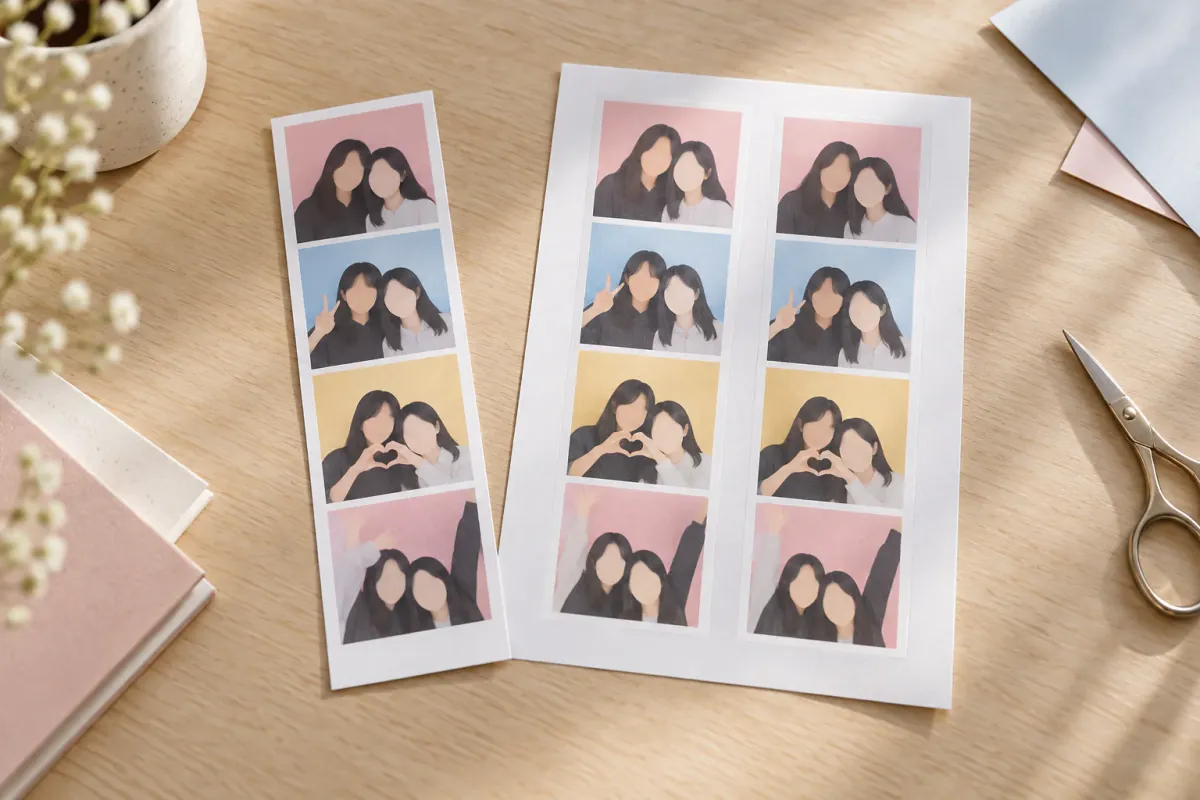
If you only need the setup
Open the Korean 4-Cut photo booth, choose Take photo or Choose from gallery, and fill four frames. Keep the black frame and Soft filter for the familiar studio look. In Decorate, leave the caption empty if you want only the date, then download the strip. If you want to share a physical copy, turn on 2 copies on one 4×6 print before saving.
What makes a four-cut strip work
There are four decisions that matter more than the exact template:
| Decision | A reliable starting point |
|---|---|
| Layout | Four vertical frames with a generous outer border |
| Light | Face a window or a lamp; avoid a bright window behind you |
| Timing | Five seconds gives most groups time to change pose |
| Caption | A date, initials or nothing at all |
The four images do not need to match perfectly. A small change in expression or distance makes the strip feel like a moment rather than four copies of the same selfie.
Make one online in a few minutes
- Open the photo booth in Korean 4-Cut style. The link opens with the black frame and soft filter already selected.
- Under Photos, choose Take 4 photos. Pick a 3, 5 or 10-second countdown. Use 5 seconds unless everyone is already in position.
- Press Start · 4 shots, then change one small thing between frames: a hand pose, a head tilt or where you look.
- If one frame misses, select it and tap Retake. You can also choose Choose from gallery and fill the frames with existing photos.
- In Decorate, drag a photo to reframe it, adjust the filter, or edit the caption. Keep the layout quiet; the faces should do the work.
- Use the save button at the bottom: Save to Photos on iPhone, Save to phone on Android, or Download photo on a computer.
You can mix sources. For example, take three new photos and fill the last frame with a favourite travel photo from your gallery.
Make two copies on one 4×6 print
The two-copy option is useful when one strip is for you and the other is for a friend.
- Keep a supported strip layout, such as Strip of 4.
- In the save area, tick 2 copies on one 4×6 print.
- Save the print sheet, then print it as a normal 4×6 photo.
- Cut between the two strips. Choose fit rather than fill in a printer dialog so the outer border is not cropped.
For more paper sizes and craft ideas, see how to make a photo strip at home.
A four-frame pose plan
If everyone freezes when the countdown starts, agree on the order first:
- The keeper: look at the camera and smile.
- The detail: add a finger heart, peace sign or matching head tilt.
- The close-up: lean together or make one shared heart.
- The reaction: laugh, look at each other or do the intentionally ridiculous pose.
That structure gives the strip a beginning, middle and end without requiring complicated choreography. More ideas are in the photo booth poses guide.
Make the Korean look feel natural
- Put the camera at eye level. A stack of books works for a laptop or phone.
- Leave a little space around hair and shoulders. It is easier to crop in than to recover a cut-off face.
- Use a plain wall or curtain. A busy background competes with the four frames.
- Keep the strongest light in front of you. Ceiling light alone often creates shadows under the eyes.
- Use the Soft filter lightly. If the room is already bright, B&W can give the strip more contrast without adding clutter.
Four-cut, three-cut or a grid?
| Layout | When to use it |
|---|---|
| Strip of 4 | The classic keepsake or two-copy print |
| Strip of 3 | Larger photos when you have fewer poses |
| Grid of 4 | A square post or a group that needs more width |
| Grid of 6 | A longer sequence or a larger group |
The best layout is the one that gives every person enough room. A crowded four-cut is less flattering than a spacious three-cut.
Common questions
Does “4 cut” mean four photos?
Yes. In this context, “cut” means one shot, so a four-cut layout contains four shots. A 2×2 grid can also be a four-cut; the vertical strip is simply the more recognisable booth format.
Can I mix new and existing photos?
Yes. Take some frames with the camera, then use Choose from gallery for the rest. The browser accepts common JPG, PNG, WebP and HEIC image files.
What if one frame is wrong?
Select that frame and tap Retake, or replace it from the gallery. You do not need to start the whole sequence again.
Can I make one without a camera?
Yes. Fill all four boxes from your gallery. The camera is optional.