Polaroid-Style Photo Booth: Make Instant-Film Photos Online
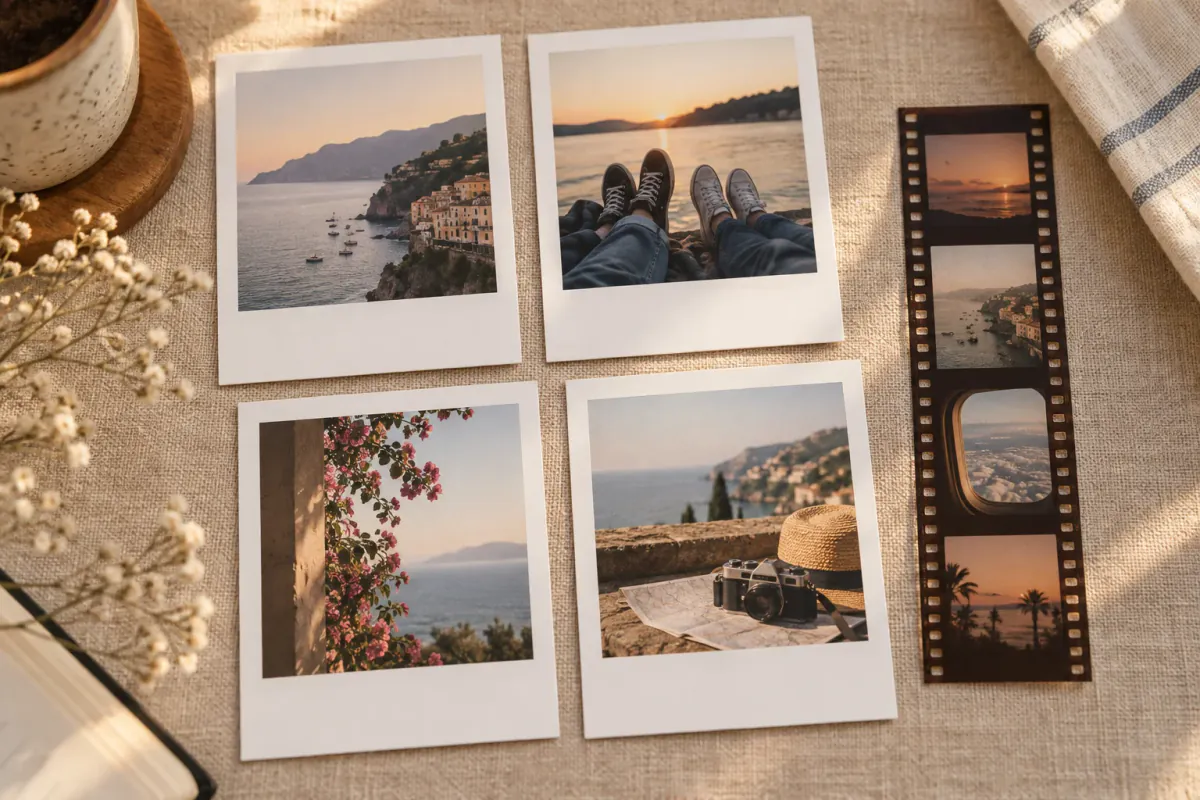
Instant-film style works because the border is part of the composition. The image feels like a small object you can hold, not just another square in a camera roll. You can make that look online with new camera shots or photos already on your phone.
Start here
Open Polaroid Style, fill the four square cards, and keep the wide bottom border. Use Warm for a gentle analog mood, add a short caption, and save. If you prefer a narrow roll of frames with sprocket holes, choose Film Strip instead.
“Polaroid Style” here describes a visual look only. LivePhotoTools is not affiliated with or endorsed by Polaroid B.V.
A short note on Polaroid
Polaroid is a photography brand founded by Edwin Land in 1937. Its Land camera, introduced in 1947, helped make instant photography part of everyday picture-taking; the SX-70 became another landmark of the format in the 1970s. Today, the name is strongly associated with cameras and film that produce a physical photograph soon after the shutter is pressed. You can read the brand’s own short history of Polaroid for more background.
This page borrows the visual language of an instant-film border—square image, generous lower margin and a small caption. It does not create a Polaroid camera exposure, develop film, or reproduce an official Polaroid template.
What creates the instant-film look
- Square or near-square images with a clear white border
- A bottom border that is larger than the other three sides
- Slightly warm colour and soft contrast
- One short handwritten-style caption
- A little empty space around each photo
The border is not wasted space. It gives the image a physical, collectible feeling and makes a group of photos feel like a set.
Make the cards online
- Open the Polaroid Style photo booth.
- Under Photos, choose Take 4 photos or Choose from gallery.
- Fill the four cards. Use the crop controls to keep eyes and important details away from the edges.
- In Decorate, try Warm, edit the caption, and turn on the date if you want the set to feel like a diary entry.
- Save using Save to Photos, Save to phone or Download photo.
The Polaroid Style template is a digital composition. It does not expose or develop real instant film, but it can be printed on photo paper or sent to an instant-photo printer afterward.
When to choose Film Strip
Choose Film Strip when the memory is more about a sequence than a single square frame. It uses a dark border, sprocket-hole details and a narrow vertical layout. It works well for:
- A night out with four quick reactions
- A travel day with four locations
- A sleepover or party contact sheet
- A behind-the-scenes sequence
The photo booth poses guide has simple four-frame sequences that suit both styles.
Shoot for the format
- Move a little closer; square cards have less room at the sides.
- Keep one subject or one clear detail in each frame.
- Use soft front light rather than a strong backlight.
- Leave a little headroom so the crop does not feel tight.
- Try one quiet frame between the expressive ones; contrast makes the set feel edited.
Caption ideas
The bottom border only needs a few words:
good timesfirst snowLisbon, summerJ + Mroll 01- the date
Use the caption as a label for the memory, not a second headline.
Print and share it
Save a PNG when you want crisp digital edges. For physical prints, use photo paper and choose fit in the printer dialog so the border remains intact. If you are printing a strip, the two-copy 4×6 option gives you one copy to keep and one to share.
For the closest instant-film feel, print on a small matte card or use an instant-photo printer. Keep the original file because small prints can fade or pick up scratches.
FAQ
Is this an official Polaroid product?
No. “Polaroid Style” is a description of the instant-film-inspired layout. It uses original artwork from the photo booth and has no Polaroid logo or branding.
Can I use existing photos?
Yes. Choose them from your gallery and fill the cards one at a time or all at once.
Can I print the result on instant film?
You cannot expose real instant film directly from the browser. You can print the saved image on photo paper or with a compatible instant-photo printer.
Is it free?
Yes. There is no sign-up or watermark, and the editing happens in your browser.